The problem
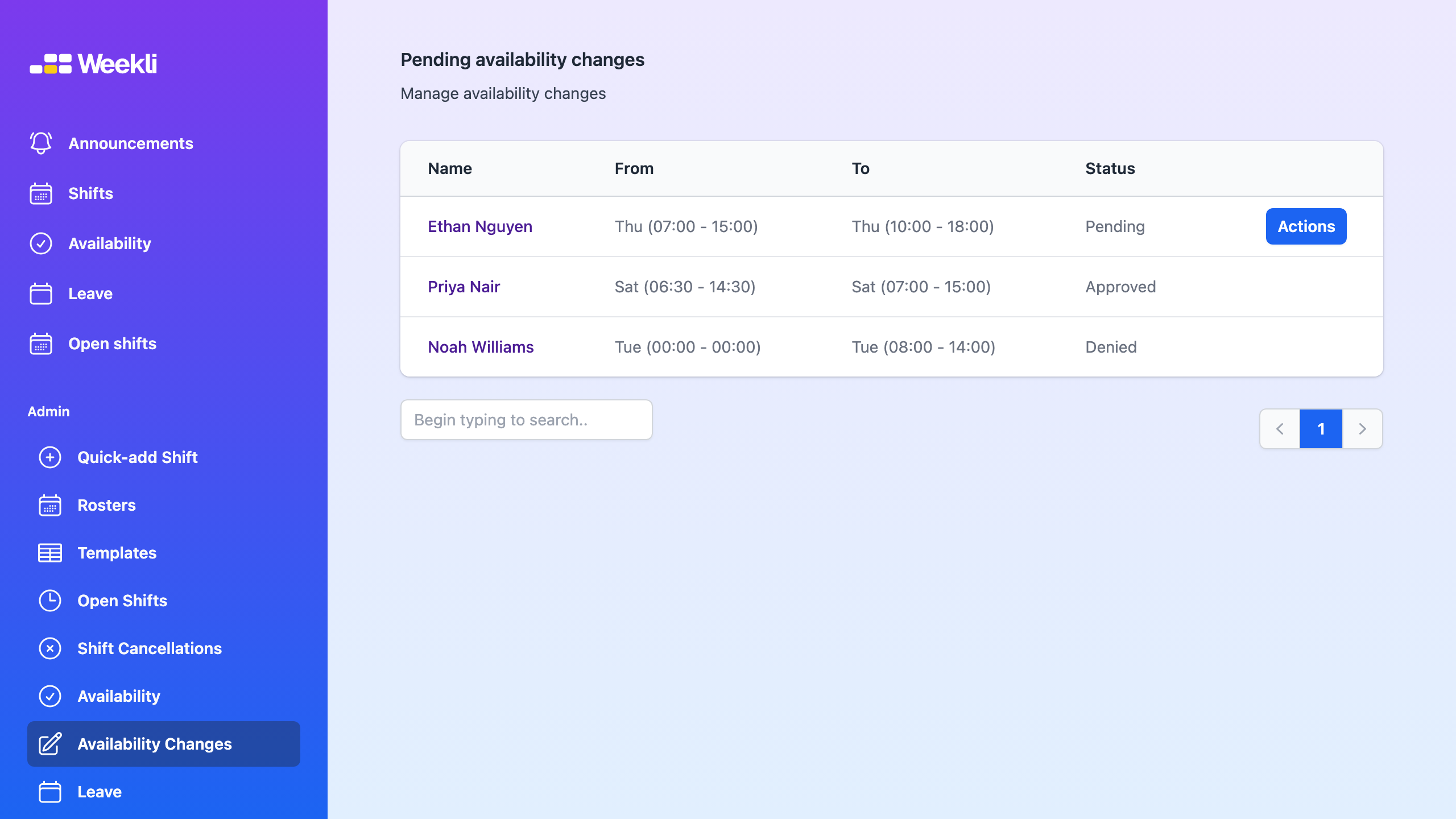
Availability changes are easy to miss when they arrive in messages while the roster is being built elsewhere. It becomes difficult to know which hours are current, which changes still need a decision and whether a published shift is affected.
Weekli’s approach
Employees update their recurring availability in Weekli. When approval is enabled, managers see the current and proposed hours together and can approve or deny the change with a clear status. The existing availability stays in place until a request is approved.
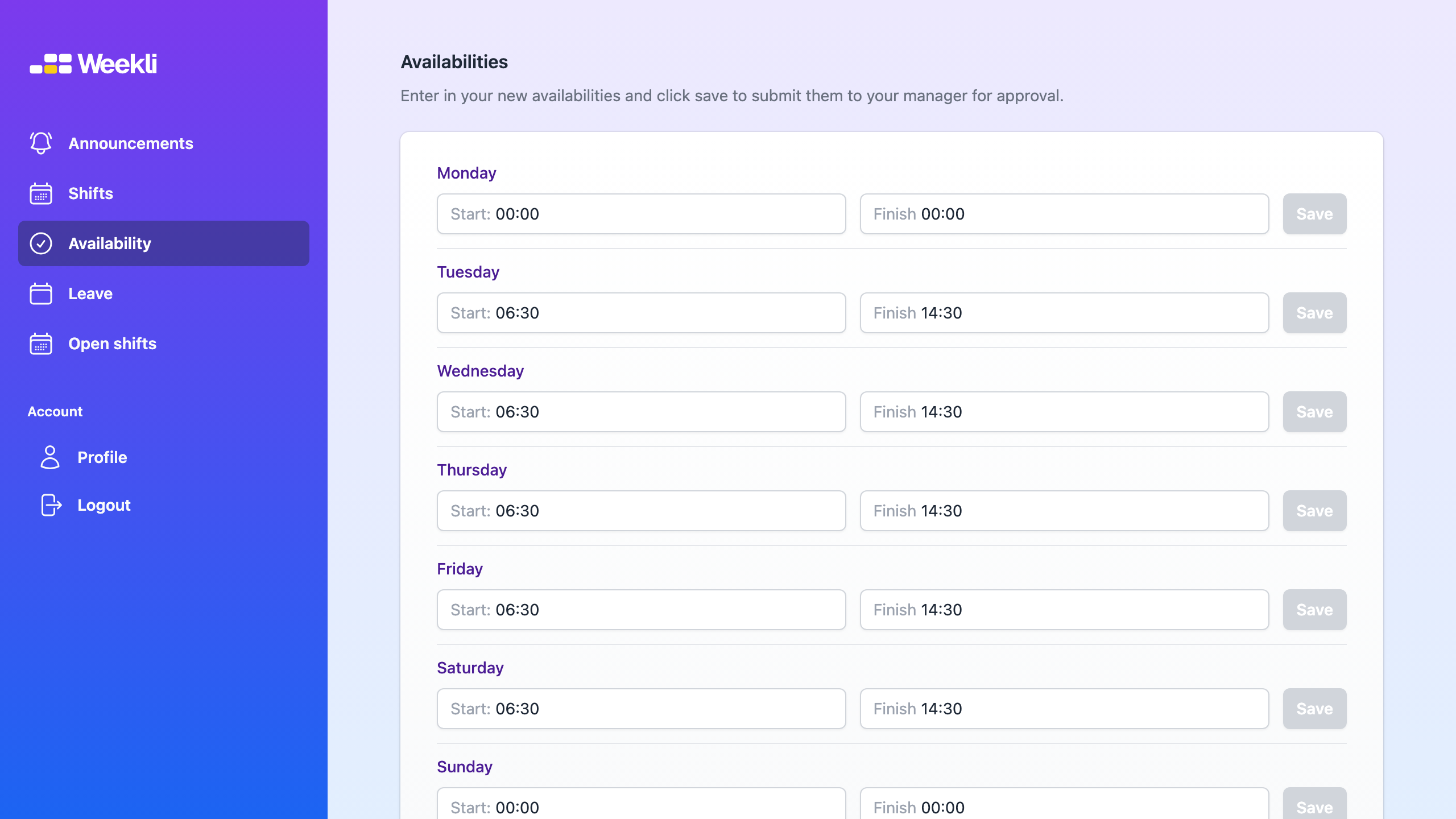
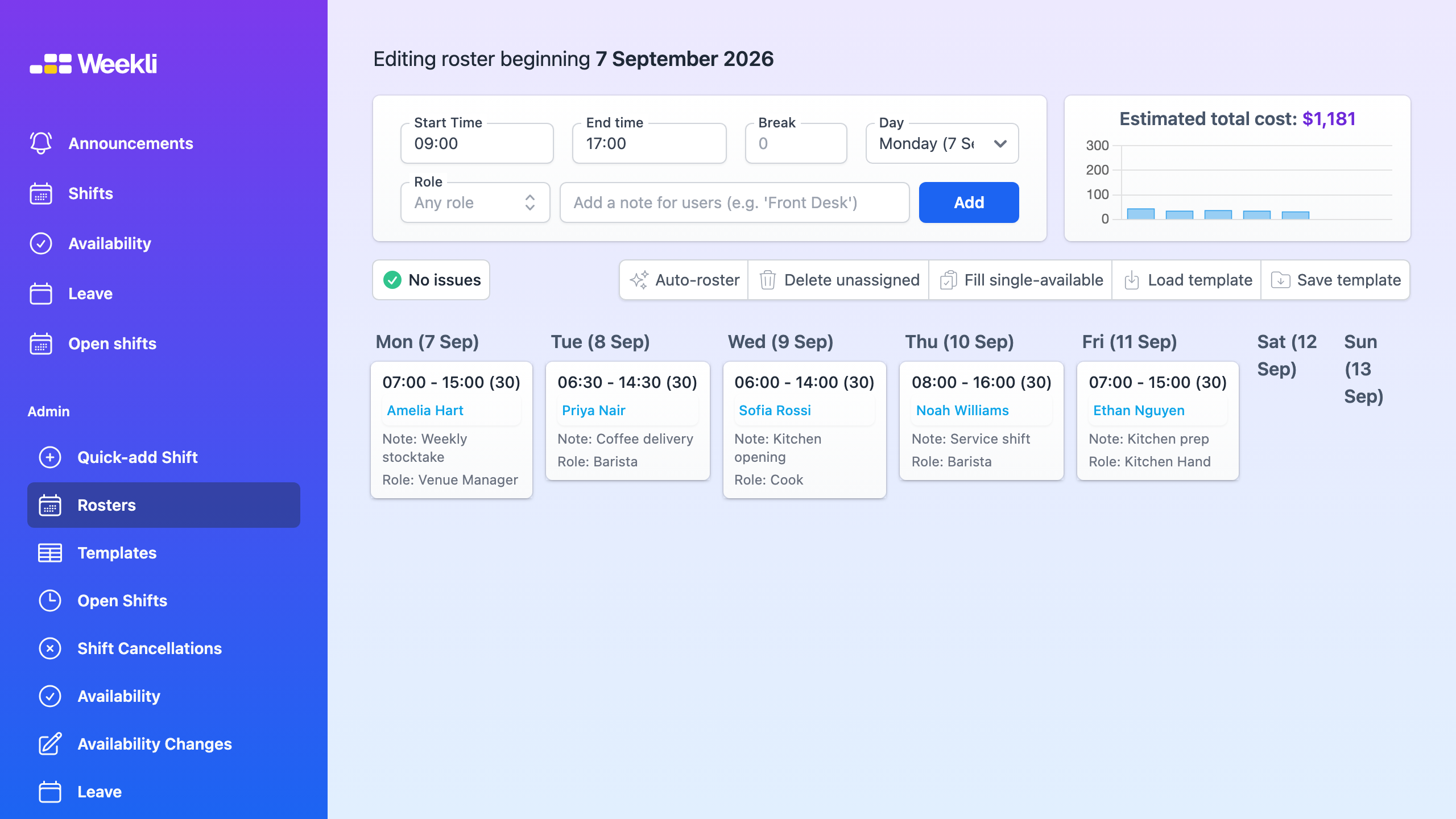
The roster uses the current availability and approved leave when showing suitable people for a shift. A change to recurring availability does not silently remove someone from a published shift, so managers retain control of the decision that affects the current roster.
Read the availability guide for the complete workflow.